-
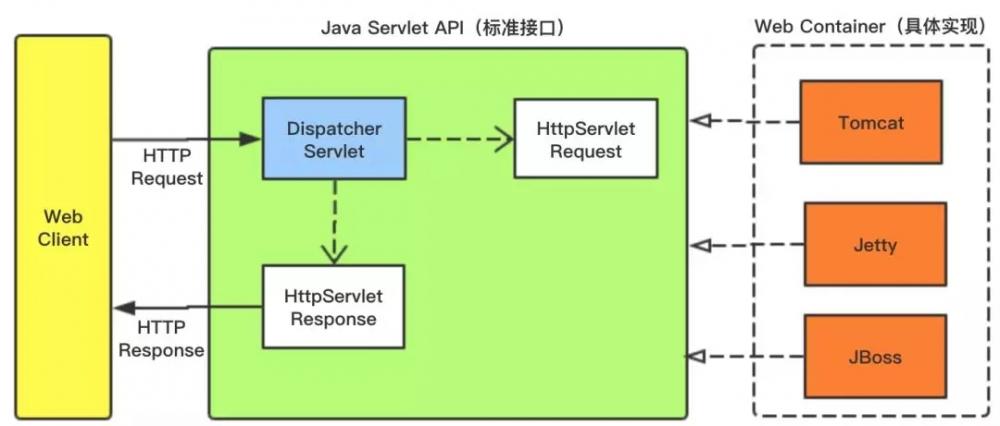
[置顶]软件接口设计怎么做?前后端分离软件接口设计思路
本文关于软件接口设计怎么做?前后端分离软件接口设计思路。好的系统架构离不开好的接口设计,因此,真正懂接口设计的人往往是软件设计队伍中的稀缺型人才。为什么在接口制定标准中说:一流的企业做标准,二流的企业...
-
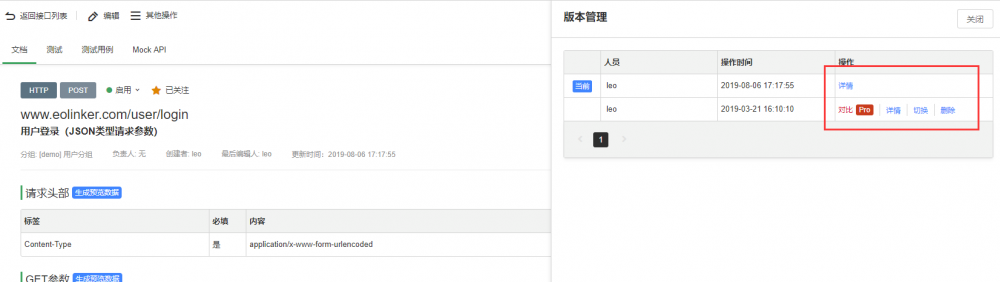
[置顶]接口管理如何做?接口实现版本管理的意义和最佳方法
本文关于接口管理如何做?接口实现版本管理的意义和最佳方法。API版本管理的重要性不言而喻,对于API的设计者和使用者而言,版本管理都有着非常重要的意义。下面会从WEB API 版本管理的角度提供几种常...
-
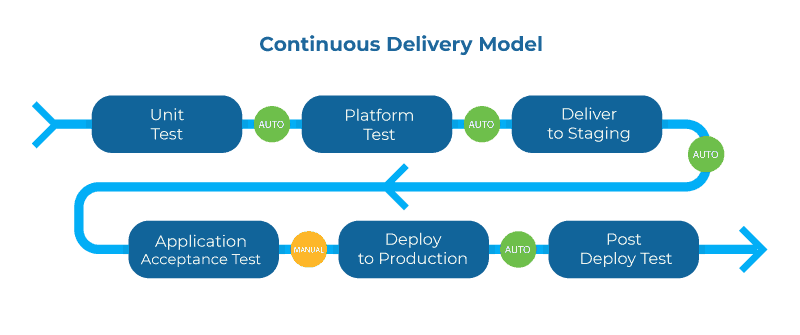
[置顶]实现API管理系统的关键
下面将通过几个关键词的形式说明API管理的重要性和未来的实现方式。1.生命周期管理在整个API生命周期中更深入地集成所有工具将进一步提高生命周期循环的速度,而且更重要的是提供满足消费者需求的API。这...
-
样式表(shake.css):
html,body{
width:100%;
height:100%;
background-color: #000;
margin:0;
overflow: hidden;
}
.wrap{
position: absolute;
left:50%; top:50%;
width:132px;
height: 132px;
-webkit-transform: translate(-50%,-50%);
transform: translate(-50%,-50%);
}
.hand{
position: absolute;
left:0;
width:100%;
height: 50%;
background: url(shake.png) no-repeat #000;
background-size: 132px 132px;
}
.above-hand{
top:0;
background-position: 0 0;
}
.below-hand{
bottom:0;
background-position: 0 -66px;
}
.inner{
position:absolute;
top:50%;
left:50%;
width: 50px;
height: 90px;
background: url(inner.png) no-repeat 0 0;
background-size: 50px 90px;
-webkit-transform: translate(-50%,-50%);
transform: translate(-50%,-50%);
}
.above-hand:after,.below-hand:before{
display: none;
content:'';
position:absolute;
left:-100vw;
width:200vw;
height: 2px;
background-color: #BABDC1;
}
.above-hand:after{ bottom:0; }
.below-hand:before{ top:0; }
.wrap.active .above-hand{
-webkit-animation: up 1.5s ease;
animation: up 1s ease;
}
.wrap.active .below-hand{
-webkit-animation: down 1.5s ease;
animation: down 1s ease;
}
.wrap.active .above-hand:after,.wrap.active .below-hand:before{ display: block; }
.tip{
position: absolute;
bottom: 30px; left: 10px;
color: #fff; font-family: '楷体';
text-align: center; right: 10px;
height: 32px; line-height: 32px;
background-color: rgba(255,255,255,.4);
border-radius: 3px;
}
.tip.active{
-webkit-animationmEkMenC: jump 1.5s linear;
animation: jump 1s linear;
}
脚本逻辑
接下来是移动端JS脚本逻辑的实现,摇一摇的实现需借助html5新增的devicemotion事件,获取设备在位置和方向上的改变速度的相关信息,该事件的基本使用如下:
if(window.DeviceMotionEvent){
window.addEventListener('devicemotion" alt="利用HTML5+Socket.io实现摇一摇控制PC端歌曲切换" title="利用HTML5+Socket.io实现摇一摇控制PC端歌曲切换" width="200" height="150">
-
{{userInfo.nickName}} {{motto}} 本例中使用了
、 、 来搭建页面结构,绑定数据和交互处理函数。 index.js 是页面的脚本文件,在这个文件中我们可以监听并处理页面的生命周期函数、获取小程序实例,声明并处理数据,响应页面交互事件等。
//index.js
//获取应用实例
var app = getApp()
Page({
data: {
motto: 'Hello World',
userInfo: {}
},
//事件处理函数
bindViewTap: function() {
wx.navigateTo({
url: '../logs/logs'
})
},
onLoad: function () {
console.log('onLoad')
var that = this
//调用应用实例的方法获取全局数据
app.getUserInfo(function(userInfo){
//更新数据
that.setData({
userInfo:userInfo
})
})
}
})
index.wxss 是页面的样式表:
/**index.wxss**/
.userinfo {
display: flex;
flex-direction: column;
align-items: center;
}
.userinfo-avatar {
width: 128rpx;
height: 128rpx;
margin: 20rpx;
border-radius: 50%;
}
.userinfo-nickname {
color: #aaa;
}
.usermotto {
margin-top: 200px;
}
页面的样式表是非必要的。当有页面样式表时,页面的样式表中的样式规则会层叠覆盖 app.wxss 中的样式规则。如果不指定页面的样式表,也可以在页面的结构文件中直接使用 app.wxss 中指定的样式规则。
index.json 是页面的配置文件:
页面的配置文件是非必要的。当有页面的配置文件时,配置项在该页面会覆盖 app.json 的 window 中相同的配置项。如果没有指定的页面配置文件,则在该页面直接使用 app.json 中的默认配置。
logs 的页面结构
-
';
}
else
return '
';
}
}, {
field: 'Consignor',
title: '收货人',
align: 'left',
}, {
field: 'ReceiveAddress',
title: '收货地址',
align: 'left',
}, {
field: 'ReceiveTel',
title: '联系电话',
align: 'left',
},{
field: 'SellerName',
title: '卖家姓名',
align: 'left',
}, {
field: 'ShopName',
title: '店铺名称',
align: 'left',
}, {
field: 'ModelName',
title: '商品类型',
align: 'left',
}, {
field: 'FinalPrice',
title: '最终价格',
align: 'left',
}, {
field: 'GoodsCount',
title: '数量',
align: 'left',
}, {
field: 'AppriseStatus',
title: '物流状态',
align: 'left',
}, {
title: '操作',
field: 'Id11',
align: 'center',
width: '100px',
formatter: function (value, row, index) {
}
}]
});
}
//获取URL参数
function GetQueryString(name) {
var reg = new RegExp("(^|&)" + name + "=([^&]*)(&|$)"); //构造一个含有目标参数的正则表达式对象
var r = decodeURI(window.location.search).substr(1).match(reg); //匹配目标参数
if (r != null) return unescape(r[2]); return null; //返回参数值
}
//设置传入参数
function queryParams(params) {
var OrderId = GetQueryString("OrderId");
var temp = { //这里的键的名字和控制器的变量名必须一直,这边改动,控制器也需要改成一样的
limit: params.limit, //页面大小
offset: params.offset, //页码
OrderId: OrderId
};
return temp;
}
