-
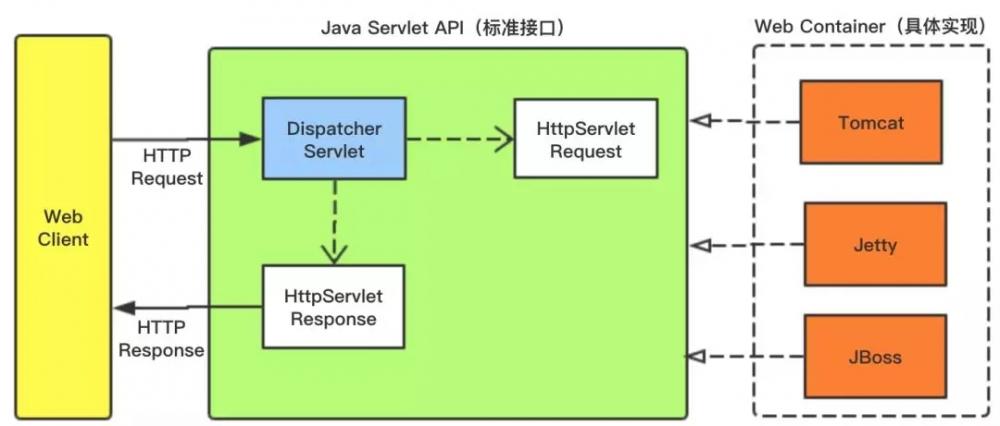
[置顶]软件接口设计怎么做?前后端分离软件接口设计思路
本文关于软件接口设计怎么做?前后端分离软件接口设计思路。好的系统架构离不开好的接口设计,因此,真正懂接口设计的人往往是软件设计队伍中的稀缺型人才。为什么在接口制定标准中说:一流的企业做标准,二流的企业...
-
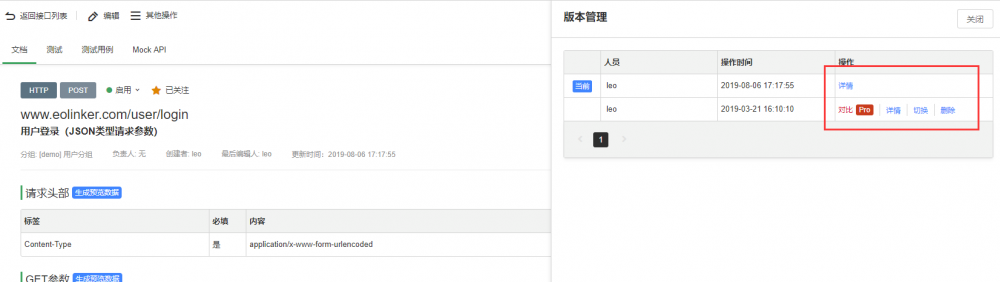
[置顶]接口管理如何做?接口实现版本管理的意义和最佳方法
本文关于接口管理如何做?接口实现版本管理的意义和最佳方法。API版本管理的重要性不言而喻,对于API的设计者和使用者而言,版本管理都有着非常重要的意义。下面会从WEB API 版本管理的角度提供几种常...
-
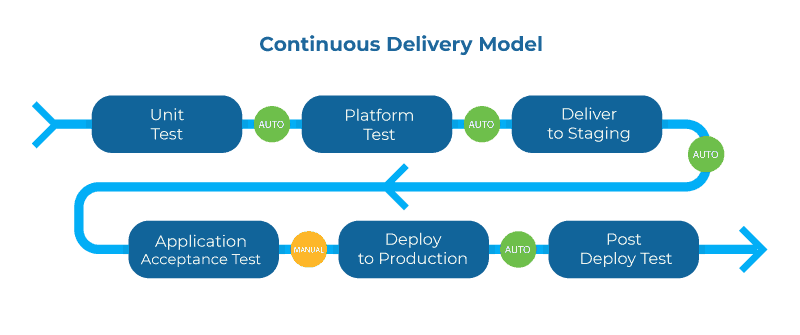
[置顶]实现API管理系统的关键
下面将通过几个关键词的形式说明API管理的重要性和未来的实现方式。1.生命周期管理在整个API生命周期中更深入地集成所有工具将进一步提高生命周期循环的速度,而且更重要的是提供满足消费者需求的API。这...
-

-

-

-
'
+ '';
var tab = window.open();
tab.document.write(html);
}
};
这样,我们就可以不使用它自带的下载操作了,就可以在外部自定义按钮、超链接,直接调用上面的方法就可以实现外部调用保存图片功能了。
二、onmouseenter和onmouseleave移动速度过快导致不能正确的时机触发事件机制
上图说明一下
希望鼠标在曲线上移动时不仅可以高亮展示曲线,还要在鼠标位置增加剪刀图标,按下剪刀时可以删除曲线。之前就直接在曲线上使用的mouseener和mouseleave方法,然后鼠标在多条曲线上快速移动时,就会出现诸多问题(剪刀不会在光标离开时消失,多条曲线都变为高亮效果)。试了多加上一些逻辑判定和换用mouseover和mouseout方法均不管用。后来突然想到,可以使用mousemove方法。判定鼠标是否在剪刀图表的区域范围内,若在则高亮该条曲线,不再,则所有曲线恢复默认样式。然后居然成功了。困扰了一整天的问题终于解决了。(由于mousemove在鼠标移动时需要不断的去监听和触发事件,所以最好可以有一个状态标识表明在该状态在再去调用高亮曲线和绘制剪刀的方法。图上的调用时机是,当鼠标进入曲线时,设定一个全局变量为true,此后的mousemove操作根据该变量判定)
记录一下部分关键代码
鼠标就进入高亮及绘制剪刀图表
$(document).on("mouseenter","svg .curve",function(e){
//每次进入后都将恢复成原始状态
$("svg .node").each(function(){
this.setAttribute("opacity","1");
});
$.each(relation.links,function(l,link){
var in_node_id=link.input.nodeId;
var out_node_id=link.output.nodeId;
$("#"+out_node_id+link.output.pointName+in_node_id+link.input.pointName)[0].setAttribute("opacity","1");
$("#"+out_node_id+link.output.pointName+in_node_id+link.input.pointName).attr("class","curve");
});
//编辑状态下需要显示可操作图标
if(args.state=="edit"){
del_Curve.ref_Curve=this;
del_Curve.has_del_curve=true;
if($("#del-curve-icon" alt="快速移动鼠标触发问题及解决方法(ECharts外部调用保存为图片操作及工作流接线mouseenter和mouseleave)" title="快速移动鼠标触发问题及解决方法(ECharts外部调用保存为图片操作及工作流接线mouseenter和mouseleave)" width="200" height="150">
-

-

-
-
userInfo 用户信息 昵称: ${userInfo.nickName} 用户id:${userInfo.id} 用户电话:${userInfo.telephone } 注册时间:
角色:[
${role.name } 权限[
${authority.name }
]
]
ajax显示全部用户信息:然后直接使用
@Bootstrap.DateTimeBox("starttime", null, null, null, null, null, null)
@Bootstrap.DateTimeBox("endtime", null, null, null, null, null, null)
得到结果
三、TextareExtensions
关于textarea文本域的封装相对来说是比较简单的,因为本身它的结构和TextBox就差不多,我们直接给出封装的源码吧。
using System;
using System.Collections.Generic;
using System.Linq;
using System.Web;
using System.Web.Mvc;
namespace BootstrapExtensions
{
public static class TextareExtensions
{
///
/// textarea文本域
///
/// 扩展方法实例
/// id
///
html标签 public static MvcHtmlString TextAreaBox(this BootstrapHelper html, string id)
{
return TextAreaBox(html, id, null, null, null, null);
}
///
/// textarea文本域
///
/// 扩展方法实例
/// id
/// value
/// 样式
///
html标签 public static MvcHtmlString TextAreaBox(this BootstrapHelper html, string id, object value, string cssClass)
{
return TextAreaBox(html, id, value, cssClass, null, null);
}
///
/// textarea文本域
///
/// 扩展方法实例
/// id
/// value
/// 样式
/// 行数
///
html标签 public static MvcHtmlString TextAreaBox(this BootstrapHelper html, string id, object value, string cssClass, int? rows)
{
return TextAreaBox(html, id, value, cssClass, rows, null);
}
///
/// textarea文本域
///
/// 扩展方法实例
/// id
/// value
/// 样式
/// 行数
/// 列数
///
html标签 public static MvcHtmlString TextAreaBox(this BootstrapHelper html, string id, object value, string cssClass, int? rows, int? cols)
{
TagBuilder tag = new TagBuilder("textarea");
tag.AddCssClass("form-control");
if (!string.IsNullOrEmpty(id))
{
tag.MergeAttribute("id", id);
}
if (value != null)
{
tag.MergeAttribute("value", value.ToString());
}
if (!string.IsNullOrEmpty(cssClass))
{
tag.AddCssClass(cssClass);
}
if (rows != null)
{
tag.MergeAttribute("rows", rows.ToString());
}
if (cols != null)
{
tag.MergeAttribute("cols", cols.ToString());
}
return MvcHtmlString.Create(tag.ToString());
}
}
}
只支持几个最简单的参数rows和cols,如果你的项目有一些特殊的需求,比如需要初始化成富文本编辑框,你也可以自己去改进。
使用方法
@Bootstrap.TextAreaBox("id", "", "", 3, 5)
这里有一个问题要提一下,就是我们直接这样写,得到的结果却是:
貌似我们的cols属性没有起作用,原来,只要你的标签加了class='form-control'样式,那它就会在满撑整个div,解决的方法也很简单,比如我们可以在div上面做些处理:
复制代码 代码如下:
既然cols属性没有起作用,其实参数里面的cols可以考虑去掉。
四、SelectExtensions
又到了纠结的select下拉框。为什么说它纠结呢,因为封装它的时候要考虑很多问题,比如:
后来转念一想,封装的目的是为了什么?不就是为了使用起来更加方便吗,如果封得太死,使用起来能够方便吗?后来所幸直接封装成最简单的select算了。博主打算这样做:
如果是静态的option,直接写原生的select标签;如果是动态的option,则传递对应的url到后台,取到数据后生成option。封装的代码如下:
using System;
using System.Collections.Generic;
using System.Linq;
using System.Web;
using System.Web.Mvc;
namespace BootstrapExtensions
{
public static class SelectExtensions
{
///
/// 返回select标签
///
/// 扩展方法实例
/// 标签id
///
select标签 public static MvcHtmlString SelectBox(this BootstrapHelper html, string id)
{
return SelectBox(html, id, null, null, null, null, null, null);
}
///
/// 返回select标签
///
/// 扩展方法实例
/// 标签id
/// 标签选中值
///
select标签 public static MvcHtmlString SelectBox(this BootstrapHelper html, string id, object value)
{
return SelectBox(html, id, value, null, null, null, null, null);
}
///
/// 返回select标签
///
/// 扩展方法实例
/// 标签id
/// 标签选中值
/// 标签样式
///
select标签 public static MvcHtmlString SelectBox(this BootstrapHelper html, string id, object value, string cssClass)
{
return SelectBox(html, id, value, cssClass, null, null, null, null);
}
///
/// 返回select标签
///
/// 扩展方法实例
/// 标签id
/// 标签选中值
/// 标签样式
/// 请求数据的url
/// 显示字段
/// 值字段
///
select标签 public static MvcHtmlString SelectBox(this BootstrapHelper html, string id, object value, string cssClass, string url, string textField, string valueField)
{
return SelectBox(html, id, value, cssClass, url, null, textField, valueField);
}
///
/// 返回select标签
///
/// 扩展方法实例
/// 标签id
/// 标签选中值
/// 标签样式
/// 请求数据的url
/// 请求的参数
/// 显示字段
/// 值字段
/// 是否多选
///
select标签 public static MvcHtmlString SelectBox(this BootstrapHelper html, string id, object value, string cssClass, string url, string param, string textField, string valueField, bool multiple = false)
{
TagBuilder tag = new TagBuilder("select");
tag.AddCssClass("form-control");
if (!string.IsNullOrEmpty(id))
{
tag.MergeAttribute("id", id);
}
if (value != null)
{
tag.MergeAttribute("value", value.ToString());
}
if (!string.IsNullOrEmpty(cssClass))
{
tag.AddCssClass(cssClass);
}
if (!string.IsNullOrEmpty(url))
{
tag.MergeAttribute("data-url", url);
}
if (!string.IsNullOrEmpty(param))
{
tag.MergeAttribute("data-param", param);
}
if (!string.IsNullOrEmpty(valueField))
{
tag.MergeAttribute("data-value-field", valueField);
}
if (!string.IsNullOrEmpty(textField))
{
tag.MergeAttribute("data-text-field", textField);
}
if (multiple)
{
tag.MergeAttribute("multiple", "multiple");
}
return MvcHtmlString.Create(tag.ToString());
}
}
}
然后前端使用js去初始化,需要有一个js文件utility.combobox.js:
(function ($) {
//1.定义jquery的扩展方法combobox
$.fn.combobox = function (options, param) {
if (typeof options == 'string" alt="一步一步封装自己的HtmlHelper组件BootstrapHelper(三)" title="一步一步封装自己的HtmlHelper组件BootstrapHelper(三)" width="200" height="150">
