-
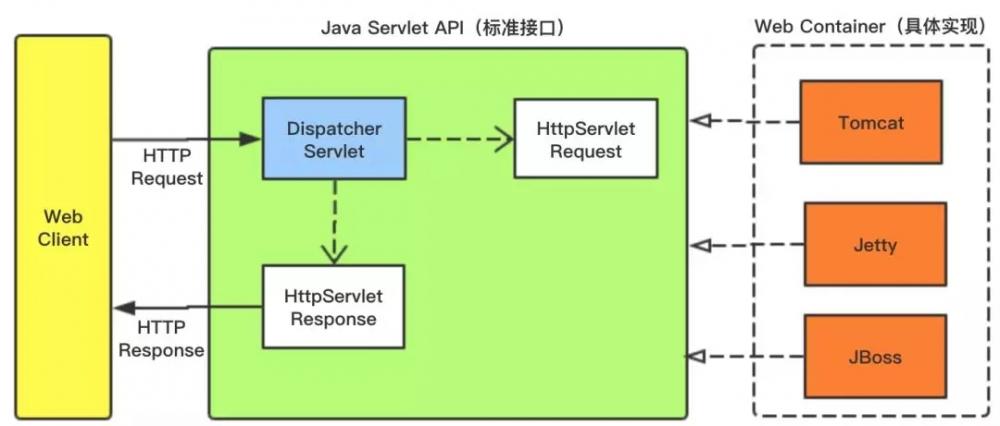
[置顶]软件接口设计怎么做?前后端分离软件接口设计思路
本文关于软件接口设计怎么做?前后端分离软件接口设计思路。好的系统架构离不开好的接口设计,因此,真正懂接口设计的人往往是软件设计队伍中的稀缺型人才。为什么在接口制定标准中说:一流的企业做标准,二流的企业...
-
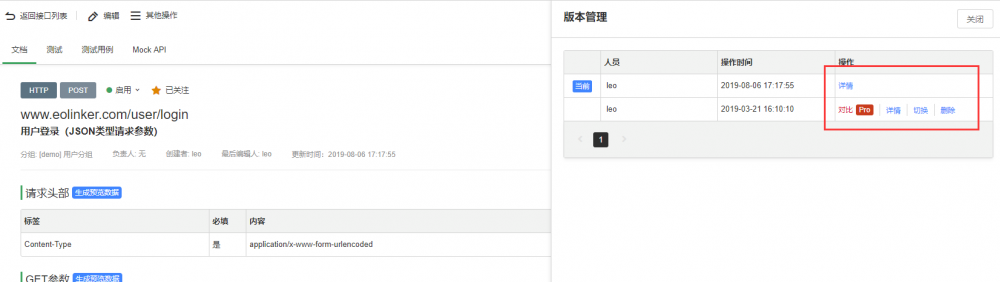
[置顶]接口管理如何做?接口实现版本管理的意义和最佳方法
本文关于接口管理如何做?接口实现版本管理的意义和最佳方法。API版本管理的重要性不言而喻,对于API的设计者和使用者而言,版本管理都有着非常重要的意义。下面会从WEB API 版本管理的角度提供几种常...
-
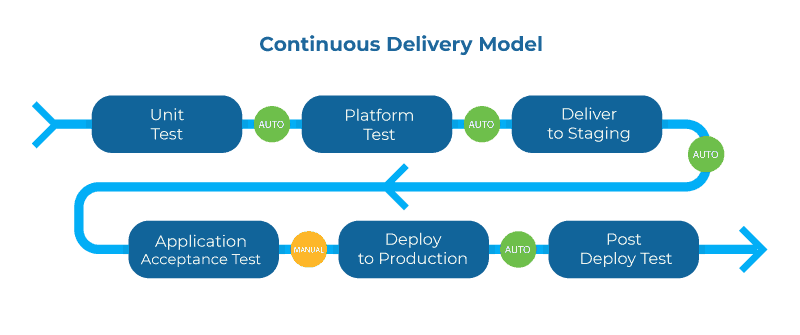
[置顶]实现API管理系统的关键
下面将通过几个关键词的形式说明API管理的重要性和未来的实现方式。1.生命周期管理在整个API生命周期中更深入地集成所有工具将进一步提高生命周期循环的速度,而且更重要的是提供满足消费者需求的API。这...
-

-

-
const text1 = Vue.component('text1', {template: `
`});Text111111111111
const text2 = Vue.component('text2', {template: `
`});Text222222222222
const text3 = Vue.component('text3', {template: `
`});Text333333333333
const text4 = Vue.component('text4', {template: `
`});Text444444444444
const text5 = Vue.component('text5', {template: `
`});Text555555555555
var vm = new Vue({
el: "#app" alt="vue实现tab切换外加样式切换方法" title="vue实现tab切换外加样式切换方法" width="200" height="150">
vue实现tab切换外加样式切换方法
vue实现tab切换外加样式切换方法实例如下所示: * { margin: 0; padding: 0; list-style: none } #app { width:...
-
-
-
-
-
.box {
width: 900px;
height: auto;
overflow: hidden;
margin: 30px auto;
}
.left {
height: 150px;
width: 185px;
padding: 5px;
display: inline-block;
border: 1px solid black;
}
.left input {
padding: 2px;
margin-top: 10px;
}
.right {
width: 600px;
height: auto;
display: inline-block;
margin-left: 30px;
vertical-align: top;
}
.right table {
border-collapse: collapse;
width: 580px;
}
.right table th {
background-color: green;
padding: 5px;
text-align: center;
border: 1px solid black;
color: #FFFFFF;
}
.right table tr {
text-align: center;
}
.right table td {
border: 1px solid black;
}
Vue实现搜索 和新闻列表功能简单范例
Vue实现搜索 和新闻列表功能简单范例效果图如下所示: .box { width: 900px; height: auto; overflow: hidden; ma...
-

-
//非常简单了设置了一下css样式
#app{
height: 100%;
margin-left: 200px;
width:50%;
text-align: center;
background-color: lightpink
}
.tab{
width: 600px;
margin-top: 30px;
background-color: lightpink;
}
input{
height: 25px;
margin-top: 10px;
border-radius:5px;
}
姓名:
年龄:
性别:
{{option.gender}}
</select>
{{selected}}
Vue实现动态创建和删除数据的方法
Vue实现动态创建和删除数据的方法视图:代码如下: MFNakBBM //导入vue.js //非常简单了设置了一下css样式 #app{ height: 100%; margin-lef...
